An embeddable AI chatbot widget for Laravel sounds simple until you have to run it in production. A small chat bubble on a marketing site or SaaS dashboard creates real requirements: public access, rate limits, domain controls, bot settings, branding, source selection, and conversation review.
The widget is only the visible part. The control plane behind it matters more.
This guide explains what to consider when you want a Filament-managed AI chatbot widget that can be embedded into a Laravel app, a marketing site, a documentation portal, or a customer-facing SaaS product.
Why the Widget Needs a Control Panel
Without a control panel, every chatbot change becomes developer work. Someone wants to update the welcome message. Someone wants to switch the model. Someone wants to add a new documentation source. Someone wants to disable the widget on a staging domain. If all of that lives in code, the chatbot becomes slow to operate.
Filament is useful because it can give your team an admin surface for:
- bot configuration
- widget branding
- quick prompts
- allowed domains
- source ingestion
- conversation history
- model and provider settings
- public/private access rules
- health checks and diagnostics
That is why the RAG Chatbot and Agentic Chatbot plugins both treat the widget as part of a larger system, not as a standalone JavaScript snippet.
Public Embed vs Authenticated Widget
There are two common widget modes.
A public chatbot widget is embedded on a marketing site, documentation site, or public help center. It usually answers general questions from public documentation. It needs rate limits, domain allowlists, and careful prompt boundaries because anyone can use it.
An authenticated chatbot widget is shown inside a SaaS app or member area. It can use signed tokens or user context. This mode is useful for account-specific guidance, onboarding, or internal workflows, but it also requires stricter handling of permissions and data boundaries.
Before choosing a plugin, decide which mode matters most:
- public docs bot for anonymous visitors
- product support widget for logged-in customers
- internal admin assistant for your team
- per-tenant chatbot for agencies or SaaS products
- lead qualification widget on a landing page
The same UI pattern can hide very different security requirements.
Security Requirements for a Laravel Chatbot Widget
A production widget should not be "just include this script and hope for the best." At minimum, review:
- Domain allowlists: which websites can load the widget
- Signed tokens: whether user or session context is protected
- Rate limiting: how anonymous usage is controlled
- CORS behavior: what origins can talk to your endpoint
- Conversation storage: what is logged and for how long
- Tenant scoping: whether one client's bot can see another client's sources
- Provider data handling: what goes to the model provider
- Abuse controls: how prompt injection and spam are handled
These are boring features until something goes wrong. Then they are the whole product.
RAG Answers in a Widget
For many teams, the first widget use case is a Laravel documentation chatbot. The widget should answer questions from your docs, help articles, PDFs, URLs, or product knowledge.
That means the widget should be connected to a RAG system, not just a generic model prompt.
Useful RAG widget behavior includes:
- showing short source references
- refusing questions outside the supported knowledge base
- escalating unanswered questions to a human path
- logging repeated unanswered questions
- letting admins update sources from Filament
- separating docs for different products or tenants
If this is your main use case, start with RAG Chatbot. It is designed for knowledge-grounded assistants and embeddable widgets managed from Filament.
When the Widget Needs Workflows
A widget becomes more powerful when it can guide users through a process instead of only answering questions.
Examples:
- collect onboarding information
- ask follow-up questions before recommending a plan
- call an order status API
- classify an issue before creating a support ticket
- route a billing question to a different flow
- summarize a conversation for a human agent
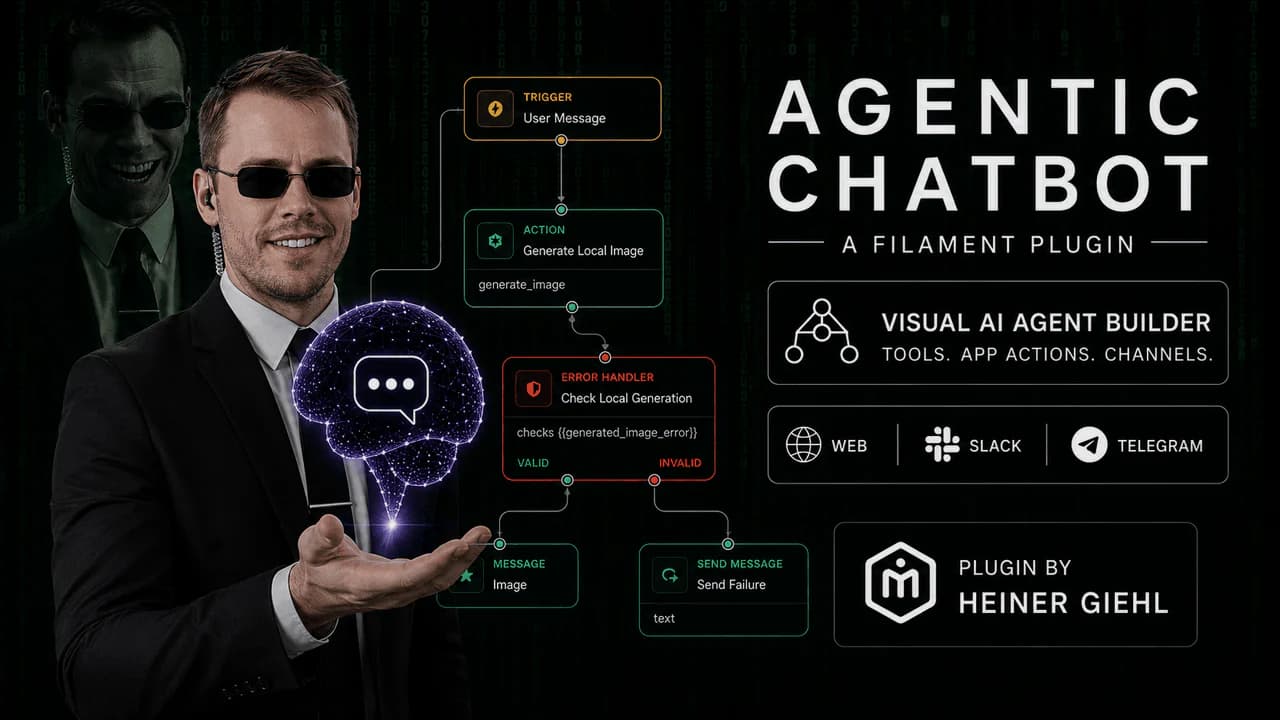
That is where Agentic Chatbot fits better. It supports a visual workflow builder, API connector profiles, branching, and run tracing. The widget becomes the user interface for a controlled automation flow.
Implementation Checklist
Before embedding a chatbot widget, confirm:
- the bot has a clear purpose
- the source content is current
- public and private data are separated
- rate limits are enabled
- failed answers can be reviewed
- users know when they are talking to AI
- there is a fallback path for unanswered questions
- the team can update sources without a deployment
The widget can be lightweight. The system around it should not be accidental.
For more options, browse the Filament plugins for Laravel page or compare Agentic Chatbot vs RAG Chatbot.