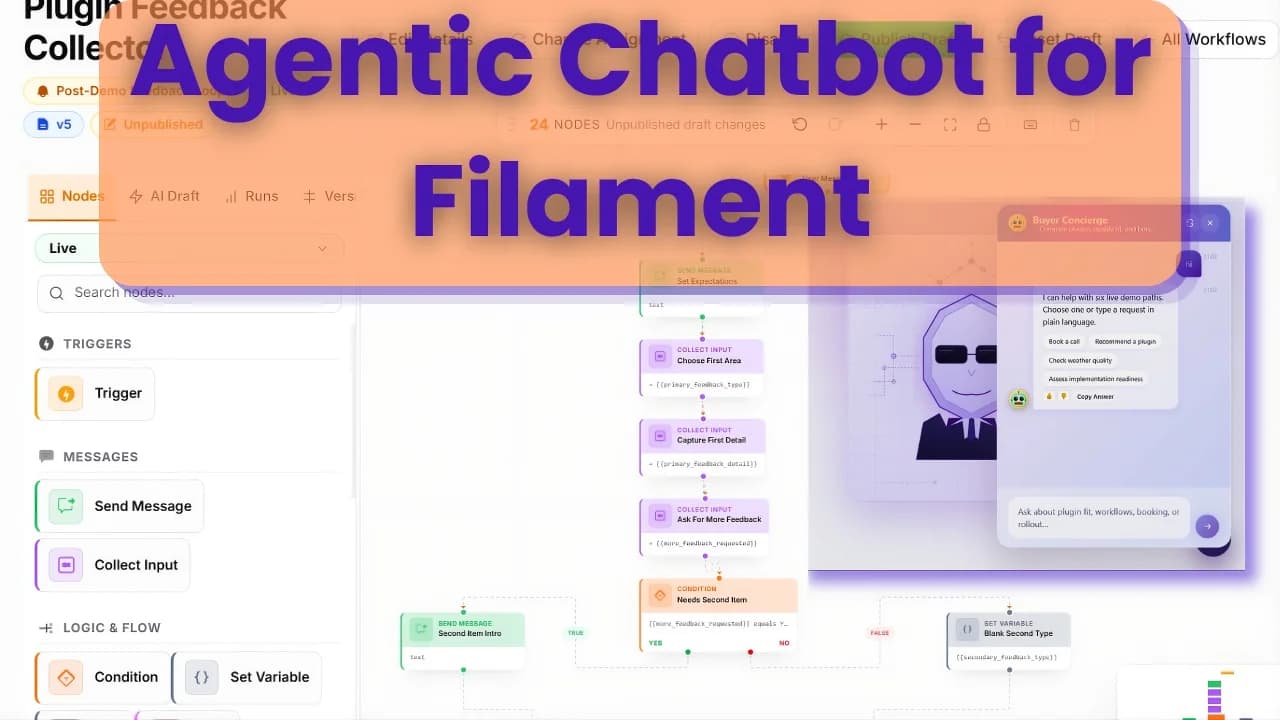
A chatbot is useful when the user asks a question and expects an answer. A workflow is useful when the user needs to move through a process.
That distinction matters for Laravel teams searching for a Filament AI workflow builder. Many AI features start as chatbots, but the real product requirement becomes support routing, data collection, lead qualification, API calls, database updates, and human handoff.
At that point, one prompt is not enough.
Chatbot vs Workflow Builder
A basic AI chatbot usually does three things:
- receives a user message
- sends context to a model
- returns an answer
A workflow-capable chatbot can do more:
- detect intent
- retrieve knowledge
- ask follow-up questions
- branch into different paths
- call HTTP APIs
- run database actions
- join multiple branches
- trace every step of execution
- version and release workflow changes
The second system is more complex, but it gives product and support teams much more control.
If your goal is only documentation Q&A, RAG Chatbot is the simpler fit. If your goal is AI support automation inside a Laravel app, Agentic Chatbot is the plugin designed for that broader workflow surface.
Long-Tail Use Cases
The phrase "AI workflow builder" is broad. In Laravel and Filament projects, the actual use cases are usually more specific:
- Laravel AI support bot with API calls
- Filament workflow builder for customer support routing
- AI onboarding assistant for Laravel SaaS
- lead qualification chatbot for a Filament panel
- internal admin assistant with database actions
- RAG chatbot with branching support flows
- AI agent plugin for Laravel and Livewire
- embeddable chatbot widget with workflow tracing
Each query points to a different buying intent. A founder may search for "AI support bot Laravel". An agency may search for "Filament AI workflow builder". A developer may search for "Laravel AI agent plugin". The product page should support all of these intents naturally through examples and internal links.
Example: Support Routing
Imagine a SaaS product with billing, setup, and technical support questions.
A simple chatbot might answer from docs. A workflow builder can do more:
- Ask the user what they are trying to solve.
- Classify the request as billing, setup, bug, or feature request.
- Retrieve relevant documentation.
- Ask for required details if the request needs escalation.
- Call an external API to check account or order status.
- Create a support record or ticket.
- Store a trace so the team can review the path later.
This flow is hard to maintain as a single prompt. It is easier to maintain as nodes, branches, connectors, and versioned releases.
Why Run Tracing Matters
AI workflows need observability. If a user says the bot gave a bad answer, you need to know:
- which workflow version ran
- which branch was selected
- what knowledge was retrieved
- which API request was sent
- whether the provider returned an error
- what final answer was shown
Without run tracing, debugging becomes guesswork.
That is one of the main reasons to keep AI workflow operations inside Filament. Admin users can review runs, developers can inspect failures, and product teams can adjust flows without digging through raw logs.
API Connectors and Database Actions
Workflows become valuable when they can interact with the rest of your system. Common connector targets include:
- order status APIs
- billing platforms
- CRM records
- ticketing tools
- internal Laravel endpoints
- product usage data
- database records behind the admin panel
The important part is control. A workflow builder should not let random prompts perform arbitrary actions. It should use explicit nodes, configured connector profiles, permissions, and traces.
That keeps automation useful without turning the chatbot into an uncontrolled agent.
When to Choose Agentic Chatbot
Choose Agentic Chatbot if you need:
- RAG answers plus workflows
- visual branching
- API connector profiles
- database actions
- embeddable chat widgets
- run tracing
- workflow import/export
- versioned releases
- a Filament-native admin surface
Choose RAG Chatbot if you mainly need a knowledge base chatbot with source ingestion and widgets.
You can browse the complete product family on the Filament plugins for Laravel page.