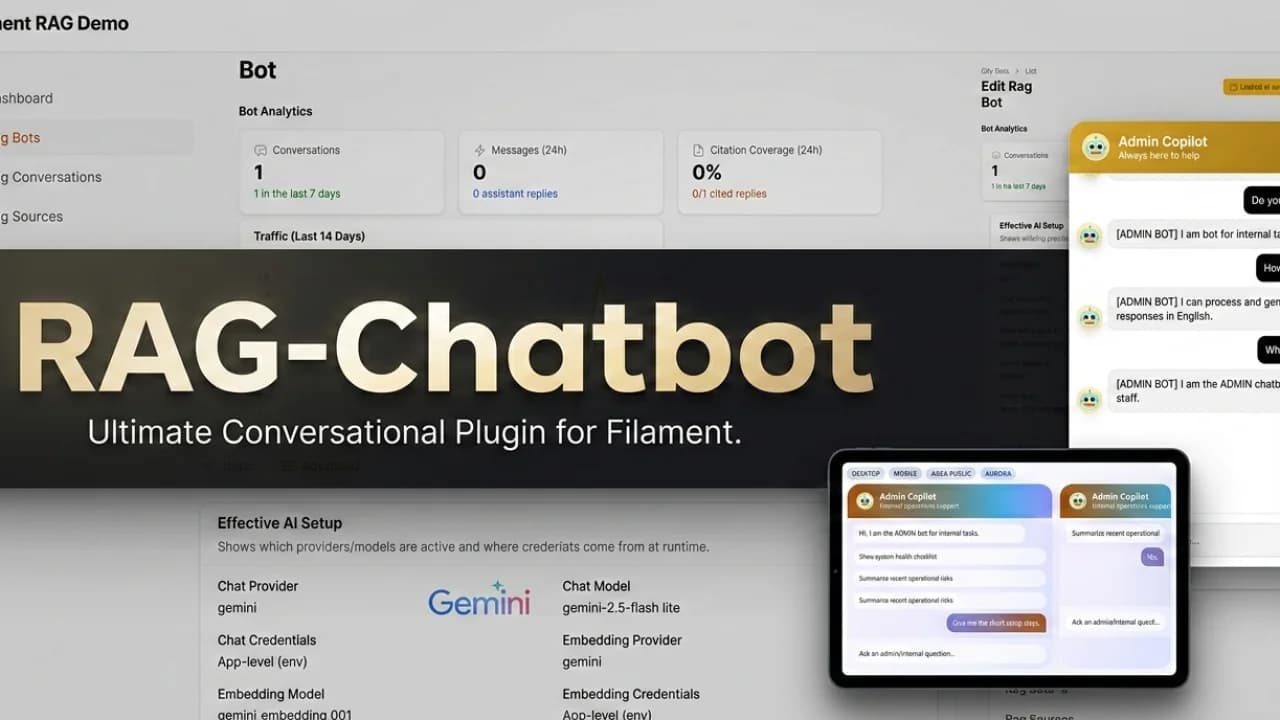
A Laravel RAG chatbot is useful when a generic AI answer is not good enough. Customers, users, and internal teams usually ask questions about your actual product: pricing rules, installation steps, onboarding flows, API behavior, support policies, or documentation details.
RAG helps by retrieving relevant knowledge from your own sources before the model writes an answer. In a Laravel and Filament app, the key is not only the retrieval algorithm. The real product value is the admin workflow around ingestion, review, source management, and monitoring.
What RAG Means for a Laravel Product
RAG stands for retrieval augmented generation. In plain English, the chatbot looks up relevant information from your own knowledge base before it asks the model to write an answer. That is different from a generic chatbot that only relies on the model's training data and whatever the user typed into the current chat.
The typical flow looks like this:
- Your team adds sources such as docs pages, Markdown files, PDFs, or support articles.
- The system splits those sources into chunks.
- Each chunk is embedded and stored in a vector backend.
- A user asks a question.
- The app searches for relevant chunks.
- The answer is generated with the retrieved context.
- The conversation and source usage are logged for review.
In Laravel, this usually involves queues, storage, scheduled jobs, database tables, provider API keys, and a vector store. In Filament, the same system needs resources, forms, tables, actions, dashboards, and permission rules.
That is why a dedicated RAG Chatbot plugin can save a lot of time. It gives you the operational surface that teams otherwise rebuild for every product.
What a RAG Chatbot Can Do
A RAG chatbot is strongest when the answer already exists somewhere in your product knowledge, but users do not know where to find it. That makes it a good fit for support, documentation, onboarding, internal operations, and customer education.
In a Laravel product, useful RAG chatbot jobs include:
- answering installation questions from your documentation
- explaining pricing rules, limits, or plan differences
- helping users find the right settings inside a SaaS app
- turning a long help center into a chat interface
- supporting internal teams with policies and playbooks
- answering product questions from PDFs, URLs, Markdown files, or text snippets
- giving source-backed answers with citations so users can verify the result
The important phrase is "source-backed". A Laravel RAG chatbot plugin should not behave like a generic ChatGPT wrapper. It should let your team decide which sources are trusted, when those sources are refreshed, how strict retrieval should be, and how conversations are reviewed.
That is why RAG fits Filament so well. Filament is already where many Laravel teams manage resources, settings, users, and operations. A RAG chatbot managed from Filament gives product and support teams a place to update sources, test retrieval, inspect conversations, and embed the widget without needing a separate Python admin app.
RAG Chatbot Use Cases in Filament
For a commercial Laravel app, the best use cases are usually narrow and high-value:
| Use case | What the bot retrieves | Why RAG helps | | --- | --- | --- | | Documentation chatbot | Docs pages, Markdown, PDFs | Users get setup answers without opening multiple pages | | Customer support chatbot | Help center and policy pages | Answers stay grounded in approved support content | | Internal knowledge base assistant | SOPs, onboarding notes, runbooks | Staff can search internal process knowledge through chat | | Product FAQ widget | Short canonical answers and product pages | Buyers get fast answers before contacting support | | Agency client bot | Client-specific docs and public pages | Each client can have its own bot, tone, and sources |
If you are searching for "how to add an AI chatbot to Laravel", this is the first branch in the decision tree: do you mainly need answers from trusted content, or do you need the bot to execute a process? If the answer is trusted content, start with RAG. If the answer is process automation, compare it with Agentic Chatbot.
pgvector vs Chroma for Laravel RAG
Two common vector storage options are PostgreSQL with pgvector and Chroma.
pgvector is a strong fit when your Laravel app already runs on PostgreSQL and your team wants fewer moving parts. It keeps vector search close to your application data and works well for teams that already understand database backups, migrations, and monitoring.
Chroma can be a good fit when you want a dedicated vector database service or a separate retrieval component. It can make experimentation easier in some stacks, especially when vector operations should be isolated from the main application database.
The practical choice usually comes down to operations:
- use pgvector if PostgreSQL is already part of your production stack
- use Chroma if you prefer a separate vector service
- avoid adding a new service if your team cannot monitor or back it up properly
- make sure your plugin has a health check for whichever backend you choose
For many Laravel teams, pgvector is the simplest production path. The best backend is the one your team can operate confidently.
What Makes RAG Hard in Production
The demo version of RAG is easy: upload a file, create embeddings, ask a question. The production version is harder because the chatbot becomes part of your support surface.
Common production problems include:
- stale sources that keep answering with outdated information
- failed ingestion jobs that nobody notices
- retrieval settings that are too strict or too loose
- documents split into chunks that lose important context
- answers without citations, which makes support teams distrust the bot
- public widgets without rate limiting or domain controls
- no conversation review, so bad answers cannot be investigated
A Filament-native RAG chatbot should expose these operational details. The point is not only "AI can answer". The point is that your Laravel team can manage the full lifecycle: sources, ingestion, retrieval, widget settings, conversations, health checks, and privacy behavior.
What to Ingest
A Filament RAG chatbot should support the source types your product team actually uses. Common sources include:
- public documentation pages
- help center articles
- Markdown docs in a repository
- PDFs with product or policy information
- plain text snippets for short canonical answers
- sitemap URLs for larger documentation areas
- internal onboarding or operations notes
The important part is repeatability. You should be able to re-ingest sources, see failures, retry jobs, and remove stale content. A chatbot that answers from outdated documentation can be worse than no chatbot at all.
The RAG Chatbot product page covers the focused path: source ingestion, bot settings, widget controls, and production health monitoring inside Filament.
Retrieval Settings That Matter
RAG quality is not only about choosing a model. Retrieval settings decide what context the model sees.
The most useful settings are:
- Top-k: how many chunks to retrieve
- Similarity threshold: how strict retrieval should be
- Context budget: how much retrieved content fits into the prompt
- Chunking strategy: how source text is split
- Source filters: which sources a bot is allowed to use
- Citation behavior: whether answers show where information came from
For documentation chatbots, citations are especially valuable. They help users trust the answer and help your team discover weak or missing content.
Production Checklist
Before treating a Laravel RAG chatbot as production-ready, confirm that you have:
- queue workers running reliably
- retry behavior for failed ingestion jobs
- provider key validation
- vector backend health checks
- domain controls for public widgets
- rate limiting for anonymous users
- conversation review tools
- clear deletion or retention behavior
- a way to update sources without redeploying
These items are not exciting, but they are the difference between a demo and a support tool.
When RAG Is Enough
RAG is the right choice when the chatbot mainly answers questions. It is ideal for:
- documentation chatbots
- customer support Q&A
- internal knowledge base assistants
- installation or setup helpers
- product FAQ bots
- onboarding guidance
If the user asks a question and the bot answers from your knowledge base, stay focused. Do not add workflow complexity before you need it.
If the chatbot also needs to collect data, branch through flows, call APIs, or perform actions, compare it with Agentic Chatbot. The broader plugin adds visual workflows and run tracing on top of the same general chatbot idea.
For a quick overview of the plugin family, start at Filament plugins for Laravel.
Recommended Path
Use RAG Chatbot when your main search intent is one of these:
Laravel RAG chatbotFilament RAG pluginAI documentation chatbot LaravelLaravel knowledge base chatbotcustomer support chatbot Laravelpgvector chatbot Laravelembeddable AI widget Laravel
Use Agentic Chatbot when the chatbot needs workflows, routing, API calls, database actions, or step-level run tracing.