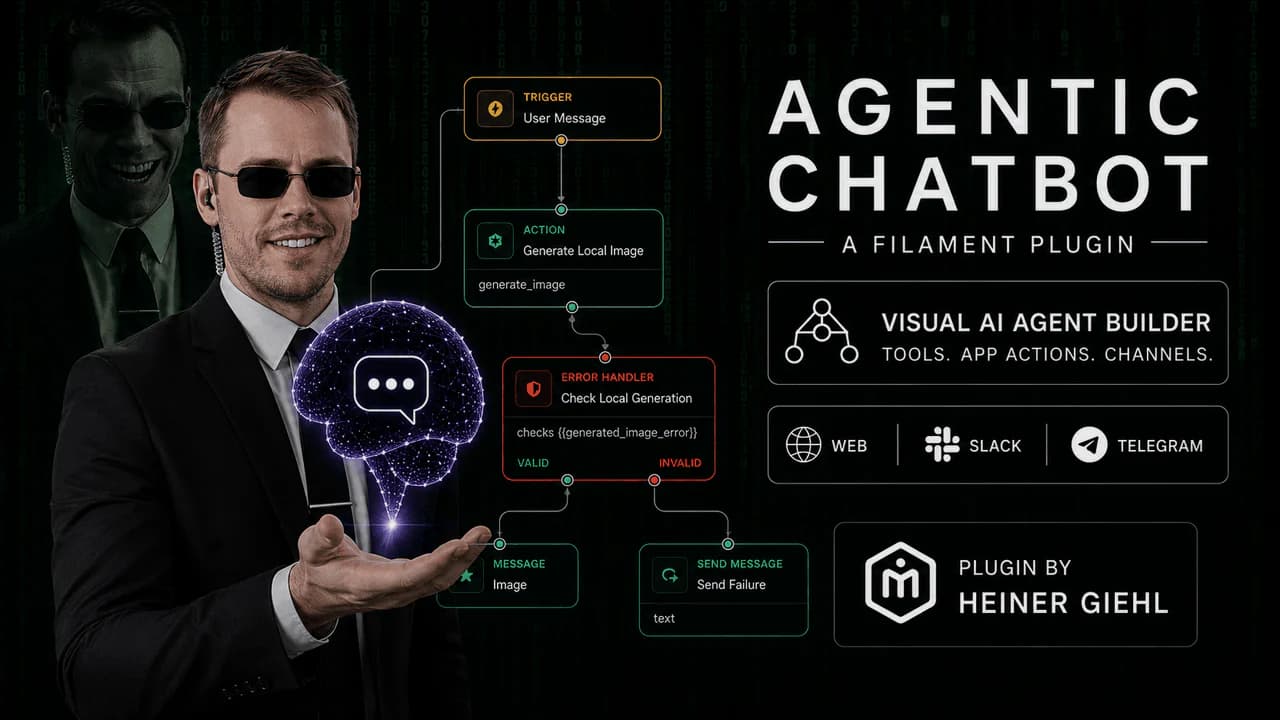
An agentic chatbot is a chatbot that can do more than answer a single question. It can move through a task, ask follow-up questions, choose a path, use tools, call APIs, retrieve knowledge, and leave an execution trace that a team can inspect later.
For Laravel and Filament teams, this matters because many "AI chatbot" requests are not really just chat requests. A buyer may say they want an AI support bot, but the real workflow often includes collecting account details, checking an order status, classifying the issue, creating a ticket, or handing the conversation to a human.
That is where an agentic chatbot becomes useful.
What Agentic Means
In AI product work, "agentic" means the system can act toward a goal instead of only generating text. A normal chatbot waits for a message and returns a reply. An agentic chatbot can run a controlled process:
- Receive a user message.
- Decide which workflow should handle it.
- Retrieve context from a knowledge base.
- Ask for missing information.
- Branch based on intent or user input.
- Call an external API or Laravel endpoint.
- Store a result or create a record.
- Show the final response.
- Log every step for review.
This does not mean the chatbot should be uncontrolled. A production agentic chatbot should use explicit nodes, permissions, connector profiles, and run tracing. The point is not to let a model do anything it wants. The point is to let a Laravel team design safe AI-assisted workflows.
Agentic Chatbot vs Normal AI Chatbot
A basic AI chatbot is usually prompt-based. You send a system prompt, the user message, maybe some context, and the model responds.
That can be enough for simple use cases, but it breaks down when the workflow needs structure.
| Requirement | Basic AI chatbot | Agentic chatbot | | --- | --- | --- | | Answer a simple question | Good fit | Good fit | | Retrieve docs before answering | Needs RAG | Built into the flow | | Ask follow-up questions | Possible, but fragile | Designed as workflow steps | | Route by intent | Usually prompt-only | Explicit branch nodes | | Call an API | Custom code required | Connector or HTTP node | | Write to a database | Custom code required | Controlled database action | | Debug bad runs | Hard without logs | Traceable step by step |
If your chatbot only needs to answer from documentation, a focused RAG Chatbot is usually simpler. If your chatbot needs to guide the user through a process, Agentic Chatbot is the better fit.
Where RAG Fits
RAG stands for retrieval augmented generation. It lets a chatbot search your own content before answering. In Laravel, this might mean documentation pages, PDFs, Markdown files, help center URLs, internal notes, or product policies.
RAG is a foundation for many agentic systems, but it is not the same thing as agentic AI.
RAG answers: "What should the chatbot know?"
Agentic workflows answer: "What should the chatbot do next?"
For example, a support assistant can use RAG to answer "How do I configure SSO?" from the docs. The same assistant becomes agentic when it asks which provider the user uses, checks whether the account has SSO enabled, routes the issue to setup or billing, and creates a support record if the user still needs help.
What an Agentic Chatbot Can Do in Filament
Filament is a strong place to manage agentic chatbots because it is already the operational control panel for many Laravel apps. A Filament AI chatbot plugin can expose the pieces that product and support teams need:
- bots with separate prompts, models, and retrieval settings
- knowledge sources for RAG answers
- workflow nodes for triggers, AI steps, conditions, routers, joins, HTTP requests, and database actions
- reusable API connector profiles
- embeddable chat widgets for public or authenticated pages
- conversation history and run traces
- versioned workflow releases
- health checks for queues, providers, and vector backends
That turns the chatbot from a hidden integration into an admin-managed product surface.
Useful Laravel Use Cases
The best agentic chatbot use cases are specific. Broad "AI assistant" positioning is weak. Specific workflows are easier to sell, build, and measure.
Good examples include:
- AI support bot for Laravel SaaS: answer from docs, classify the issue, collect account details, and create a ticket.
- AI onboarding assistant: guide new users through setup, ask for missing configuration, and recommend next steps.
- Lead qualification chatbot: ask structured questions, score the lead, and write a record to the CRM or database.
- Order status assistant: call an external API, explain the current status, and route exceptions.
- Internal admin assistant: help staff find product knowledge and trigger approved admin workflows.
These are the kinds of searches that can lead to a buying decision: Laravel AI agent plugin, Filament AI workflow builder, AI support bot Laravel, agentic chatbot Laravel, and chatbot with API calls Laravel.
When Not to Use Agentic Workflows
Do not start with agentic workflows when the problem is only knowledge retrieval. If users mainly ask documentation questions, a Laravel RAG chatbot is simpler and easier to operate.
Agentic workflows add value when there is a process:
- the chatbot needs to ask for missing fields
- the answer depends on API data
- requests need routing
- a database record should be created or updated
- support teams need step-level traces
- the workflow should be versioned and reviewed
If none of that is true, keep the system focused.
Recommended Plugin Path
Choose RAG Chatbot when you need a Filament knowledge base chatbot with source ingestion, citations, and embeddable widgets.
Choose Agentic Chatbot when you need a Filament AI chatbot plugin with RAG plus visual workflows, API connectors, database actions, branching, and run tracing.
For the full product family, start with Filament plugins for Laravel.